The following suggestions are based on experience and the comments from fellows on what they felt worked – and didn't.
Concerns about anonymity are paramount and addressed throughout.
The Meeting Chair (In-Person) sits next to Zoom Host (In-Person/Zoom Host, IPZH).
Meeting Chair conducts meeting as per usual.
In-Person Zoom Host will run the Zoom neeting from a laptop using a headset (see below), to be heard clearly on Zoom.
S/he would have the option of appearing on screen.
She may need to mute video monitor when participants in the room are sharing to prevent feedback/echo.
The IPZH may also wish to toggle the Zoom view from Gallery to Speaker as appropriate.
IPZH will likely be in continuous communication with Online Co-Hosts (OCH), who would help facilitate Zoom meeting.
The OCH would act as spiritual bouncer(s), mute/unmute participants, screen share/link share, etc.
SUGGESTION:Online participants lead the reading(s) while in-person attendees listen and read along. Suggested as a way to bring people outside the room into the meeting.
SUGGESTION:Online Co-Host sends online readers link (in chat) to literature rather than sharing the screen.
Suggested so that readers are visible onscreen (if they so choose)
In-person Participants would share using tablet (with the option of using the camera) OR logging in on their phones.
SUGGESTION: Round Robin shares alternate in-person around the circle and pre-selected online.
SUGGESTION: Likewise show of hands.
SUGGESTION: Pass tablet (iPad) for participants who wish to share with video. or they could use their phones.
Incoming speakers may be in-person or online.
Seventh Tradition is via basket and Venmo
Announcements posted online in the chat. Abbreviated announcements read in in-person meeting.
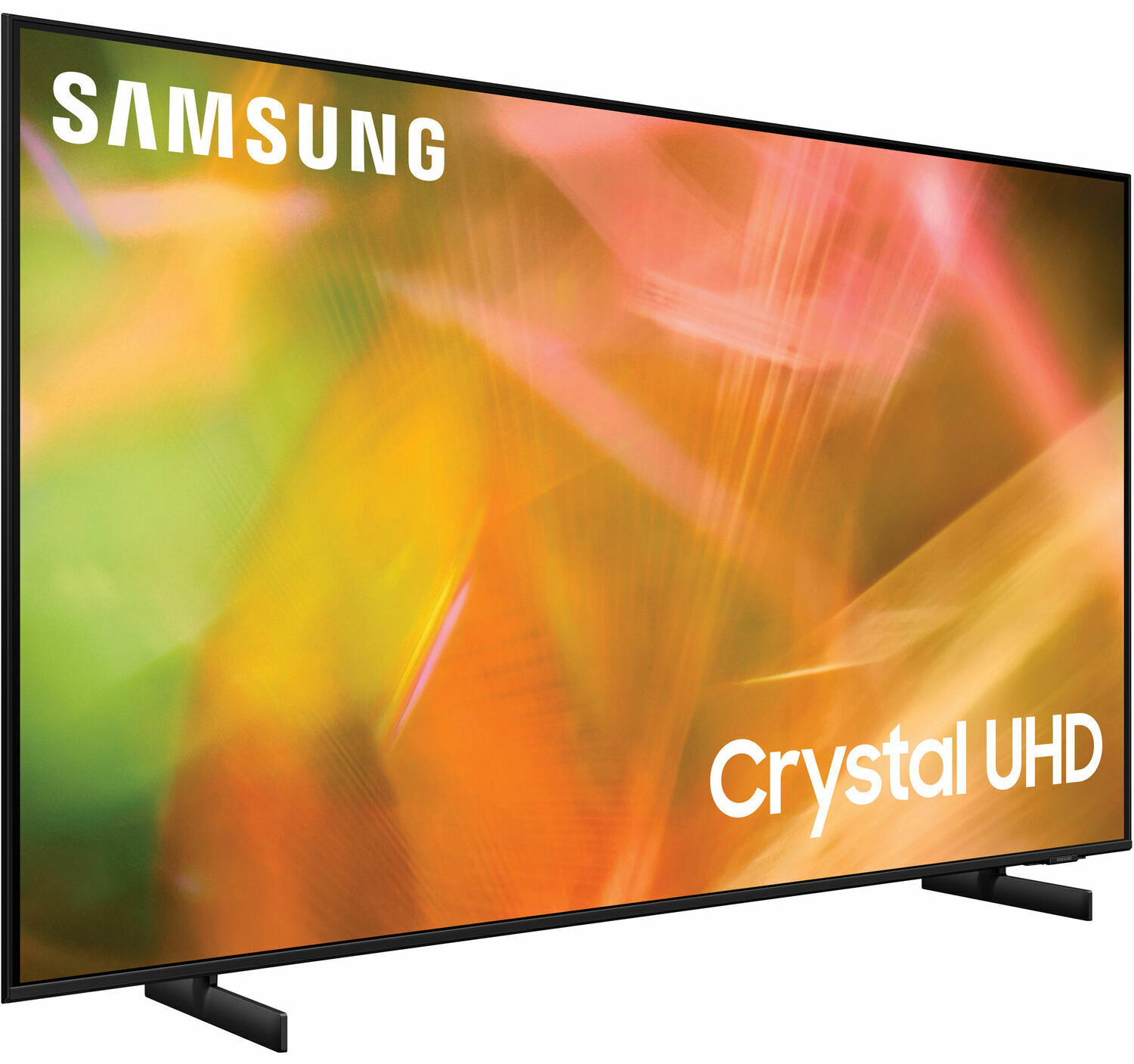
If the space lacks appropriate display technology, a video monitor – ideally wall-mounted – is the best option. And a room that is large enough to c accomodate 40-60 participants would benefit from a larger screen.
The Samsung 50" monitor pictured is one option. It's well-reviewed, cited as being both good quality and value. At ~ $450, we feel this 2021 model offers a pretty good bang for the buck. (It might also endear us to our host).
We may also need a wall mount bracket, the better to see our remote participants.
The Mounting Dream Tilting TV mount MD2268-MK (left, fits most 26-55 Inch LED TVs), can be found for less than $40.
Soundbar for Zoom Participants
Philips HTL1508 Bluetooth Sound Bar ~ $50
We expect Zoom participants to be fully engaged in the meeting, to be seen and heard.
Laptop speakers cannot adequately project their voices in a room that can accommodate 60 people, to say nothing of sound quality.
If the space lacks appropriate sound reinforcement, we recommend a sound bar as a solution. Positioned (mounted?) to work in tandem with the video monitor. it will better contextualize the speaker than options.
Are there small Bluetooth solutions? Sure. The soundbar form factor has another benefit, it's less uh, portable.
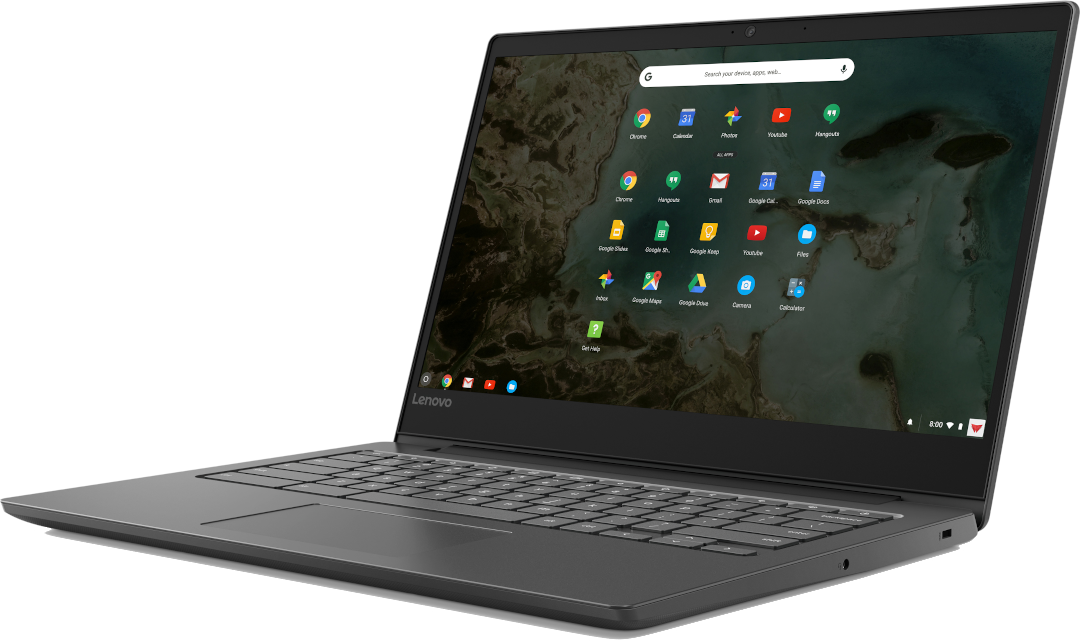
Laptop for In-Person Tech Chair
Lenovo S330 Chromebook~ $229
The In-Person Tech Chair would be the Zoom host for the meeting. As such s/he will need to access the full host feature set.
The host will otherwise need very limited functionality:
Zoom
Web browser
Adobe Acrobat reader
Excel or Google Sheets
Google docs
We do not favor any OS over any other; all recommendations welcome.
Ground Control to Major Tom
The Zoom host will need to be in direct contact with co-hosts and Zoom participants. This lightweight headset minimizes ambient (room) noise, enabling the host to keep her feet in the circle – and her head in the cloud.
Sennheiser SC135 ~ $55
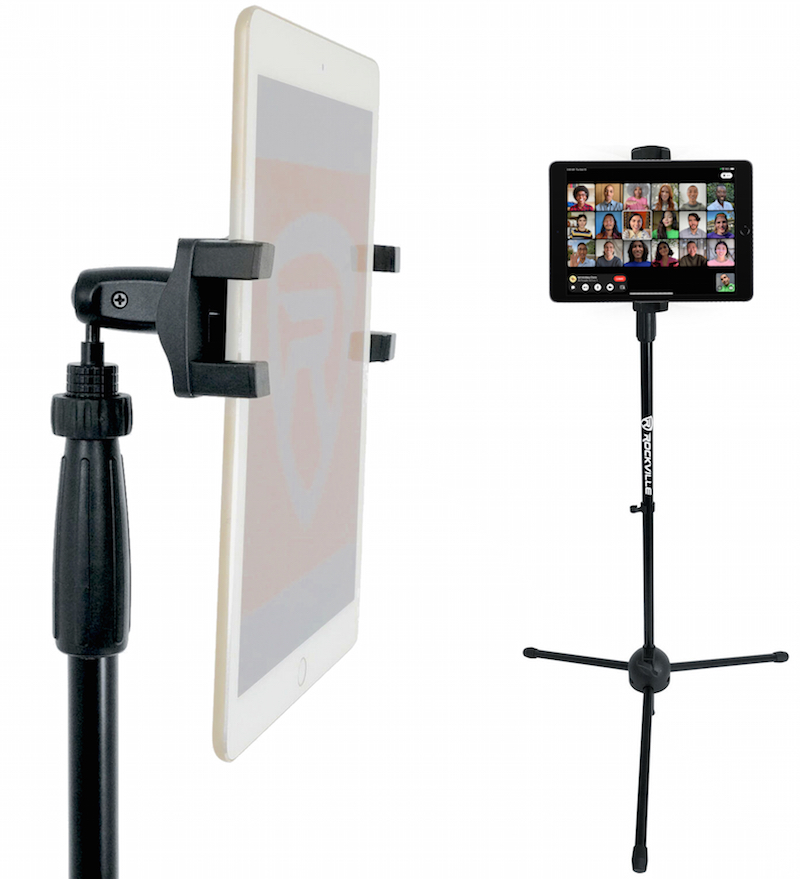
Apple iPad ~ $300 & Stand ~ $30Tablet for Meeting Chair(and In-Person Participants)
The In-Person Meeting Chair and in-person attendees will need to communicate effectively with the participants on Zoom – and vice versa.
Room mics pick up room noise, and do a poor job of capturing the contributions of fellows in the far corners of the space.
Bluetooth microphones seemed like a reasonable solution, but the options we found were expensive, over-engineered and/or had an inappropriate form-factor.
One fellow commented in the poll that having a room camera was unsatisfying, as it was difficult for people online to pick out individuals in-person.
We understand that not everyone at an in-person meeting wishes to appear on-camera. OTOH some participants want to speak to their online fellows face-to-face.
Using a tablet to log into Zoom at the in-person meeting, addresses all of these concerns. At a minimum the tablet acts as a handheld microphone. By switching its camera on or off, in-person participants can enable greater intimacy – or elect to protect their anonymity.
Is this strictly necessary? Certainly in-person participants can log in to the meeting on their phones if those they choose. However, this approach has a few downsides.
First, to be on the phone, is to not be present in the meat-space meeting. Use of the tablet allows the rest of the room to be present for the person sharing and connected with the Zoomers.
While the room does have WiFi, it is limited. Connecting to two datastreams (the laptop and tablet) uses much less bandwidth than connecting to laptop, tablet and 20 or 30 phones. an approach that diminishes the quality of the experience for everyone.
The Devil Is in the Details: Miscellaneous Cables & Hardware
Monster 25' HDMI cable ~ $40
It's not all WiFi and Bluetooth however. Except for the headset, all of these devices need power. Some may require a hard line connection.
While the details will vary with the facility, we can expect to need at least some of the following:
HDMI cable to connect laptop to video monitor (minimum 25')
[At least one] Heavy duty three-conductor extension cord (12 - 25')
Power strip (three to six outlet)
Ethernet cable (15 - 25')
Tablet will need to be charged during set-up, introduction, reading, qualification (if any) in order to be ready for round robin. Tablet should also be charged during clean-up, before being secured.